• About
  • Contact
  • Home
  • House music
  • Links
  • Portfolio

Portfolio

Welcome to the portfoliosection of the website. This section is all about showcasing work I've produced or helped to produce, and it contains a wide variety of different stuff, from websites and programs I developed, articles I've written, and more.

For the sake of usability I've created a filtering system to help you find the stuff you want. Click on a checkbox to hide items in the portfolio that correspond to that category. And if you change your mind, you just uncheck the box again and the items of that category will magically reappear!

Filters
Flash Movies

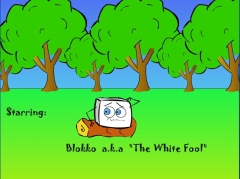
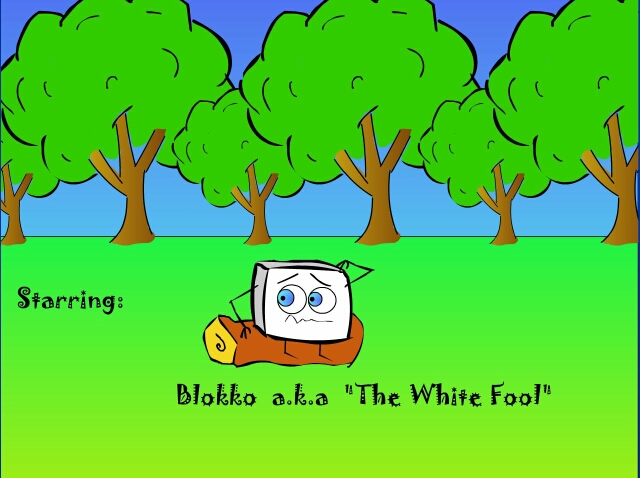
Blokko

Year: 2005

This was my first serious attempt at animation, it was an assignment for school. It was made in Flash MX 2004.

It's a short 'story' about a mysterious wood. Actually, it doesn't make any sense but it was fun to make nonetheless :)

I originally intended this to use only as a projector (an executable file who can play flash-content without any player), but since I put up my portfolio online, why not include the animation with it?

Oh by the way, don't pay any attention to the intro-screen. I created the animation on a computer that would be way outdated nowadays, so it's safe to run the animation at the standard high-quality settings. The reason I put in the advice was that while I was testing it on the old computer back in 2005, the sound would start to get out of sync with the animation.

I'd say have a laugh and watch this animation once, sure you've got two minutes to waste don't you?
View blokko.swf Download blokko.swf

Websites Programming

My first portfolio website

Year: 2005

Ah, the memories! While going to college for the study I followed (Communication, Multimedia & Design) we were expected as students to develop a website which contained the various products we created during the time we followed the course. It had exactly the same purpose as this website: an online showcase for the work you've created during your career, and you start it while still in school. As a multimediaspecialist and webdeveloper it's essential you watch the latest technology and Internet-related developments and trends and incorporate them into your knowledgebase.

At the time it was a daunting task for me, since I didn't have any experience creating websites before that. But after a lot of experimenting, this website emerged victorious from the digital battlefield.

I'm glad I decided to back it up before taking it offline a couple of years ago. Looking back now it's kind of an abonimation, but for historic purposes it's nice to see where I came from and where I stand now. For the technical oriented people I'm gonna say this: the site uses a frame, and is comprised solely of static, handwritten html pages. Need I say more? :)

Flash Programming

Astar (A*) Pathfinding Demonstration

Year: 2006

As you might know as a result of browsing through my Portfolio, I have always been interested in Artificial Intelligence, Pathfinding, and stuff like that.

A good while ago, back in 2004, I decided I wanted to grasp the basics of one of the most popular pathfinding algorithms there is, A*.

Then on a rainy sunday afternoon I decided to redesign the primitive version I got to work, to a more visually appealing version, and in the process I added some more interaction to it.

Well here it is, my A*-demonstration program, programmed in Flash. I learned the basics from http://www.policyalmanac.org/games/aStarTutorial.html

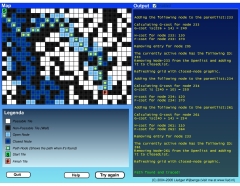
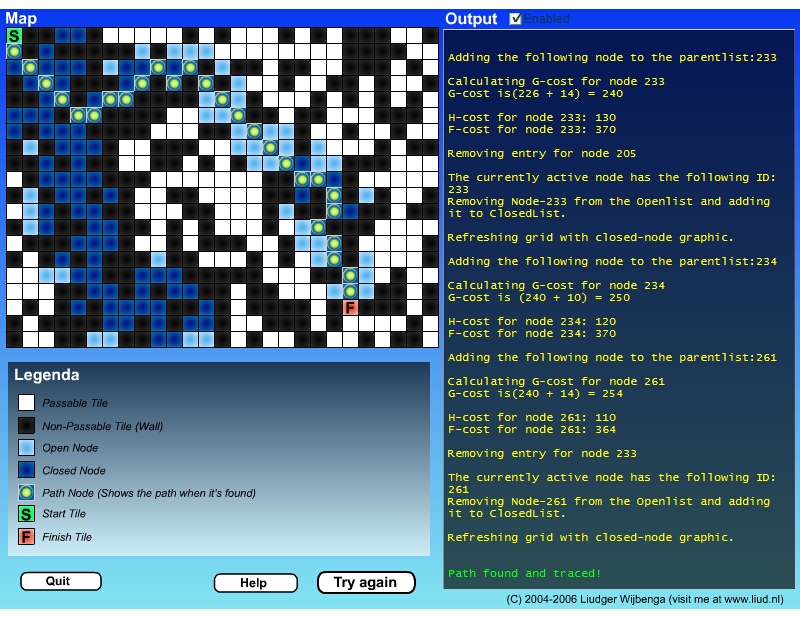
In the images attached you can see the algorithm working. It is searching a path from the green tile to the red tile. In the righthand section of the screenshots you can see various status messages from the algorithm, along with calculations.

You can specify the number of wall blocks (impassable tiles) that must be placed on the field, as well as how many steps per second the algorithm iterates.
It's a very basic program, you can't place walls yourself, and for the quickest performance I suggest you set steps per second to a value of 200 and turn the output off, since the algorithm generates a lot of messages about what it's doing.

View astar.swf Download astar.swf

Flash Programming

Genetic Algorithm

Year: 2006

I have always been interested in AI (Artificial Intelligence), pathfinding, and so on.

What's shown here is called a 'Genetic Algorithm'. It can be put to various uses, but in this example you type in a target number, and the GA tries to find a sum to make the target number.

The Genetic Algorithm tries to find a sum that, if read and operated from the right to the left, matches the target value. I decided to challenge myself and make it work under Flash MX, with help of the sample C++ code found on the mentioned site.

On the start of the program random genes are generated, and are run through various processes (functions), including survival of the fittest, a roulette wheel selection, mutation, and so forth. When the number of generations increases, it is likely the GA comes closer to the target value. The fitness of a gene is calculated by how close the gene sum value is to the target value. If a gene's sum matches the target value, the fitness score is set to 999 and the winning gene is decoded, and shown to the user as a sum.

I used http://www.ai-junkie.com and the sample code there to write this program in Flash MX. It's still somewhat sloppy and not properly coded (if you're a programmer and want to have a laugh, please do have a look at the code!), but I wanted to share it with you anyway.

And my sincere apologies for the hideous design and colors, not really friendly on the eyes now is it?
View Genetic-Algorithm.swf Download Genetic-Algorithm.swf Download Genetic-Algorithm.fla

Flash Programming Games

Project Shooter (WIP)

Year: 2008

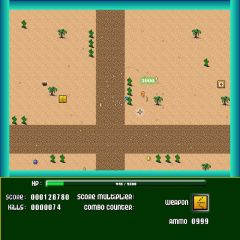
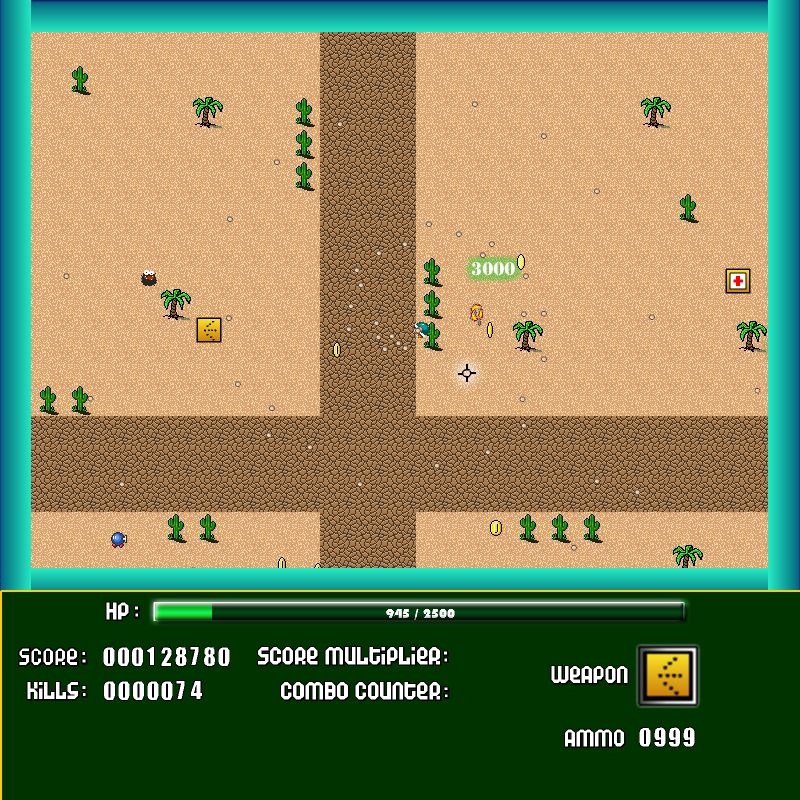
One of my hobbys is game development, I've tinkered around with it since I was a litte boy. I started out on the Commodore 64 with BASIC, continued on the PC with QBasic, and Flash was the next fronteer. I always wanted to create some sort of engine for making my own games, and when I grasped the concept of Object Oriented Programming (OOP), it suddenly seemed like a managable project, so I started developing my own engine. It also contains a map editor where you can draw maps like a paint-program, with the mouse.

It's still not finished, but I'm pretty proud of what I achieved. It can handle a lot of objects already, but I'd like to implement a better algorithm for the bullets/projectiles (Sweep and Prune/Sweep and Sort). I plan on developing it further and in the end release a playable game, since the written code is well documented and has a pretty good structure. I'm not putting up SWF's yet, because it's so unfinished, but I added some screenshots of parts of the code, the mapeditor and the game itself.

If you want to see it in action please have a look at the video below.

http://www.youtube.com/v/i1pe9oiZdWM

Note: The graphics are partly free-to-use, partly taken from sprite-archives online. The finished game will not contain any copyrighted graphics.

Programming Websites

PimpEverything.com

Year: 2009

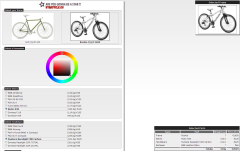
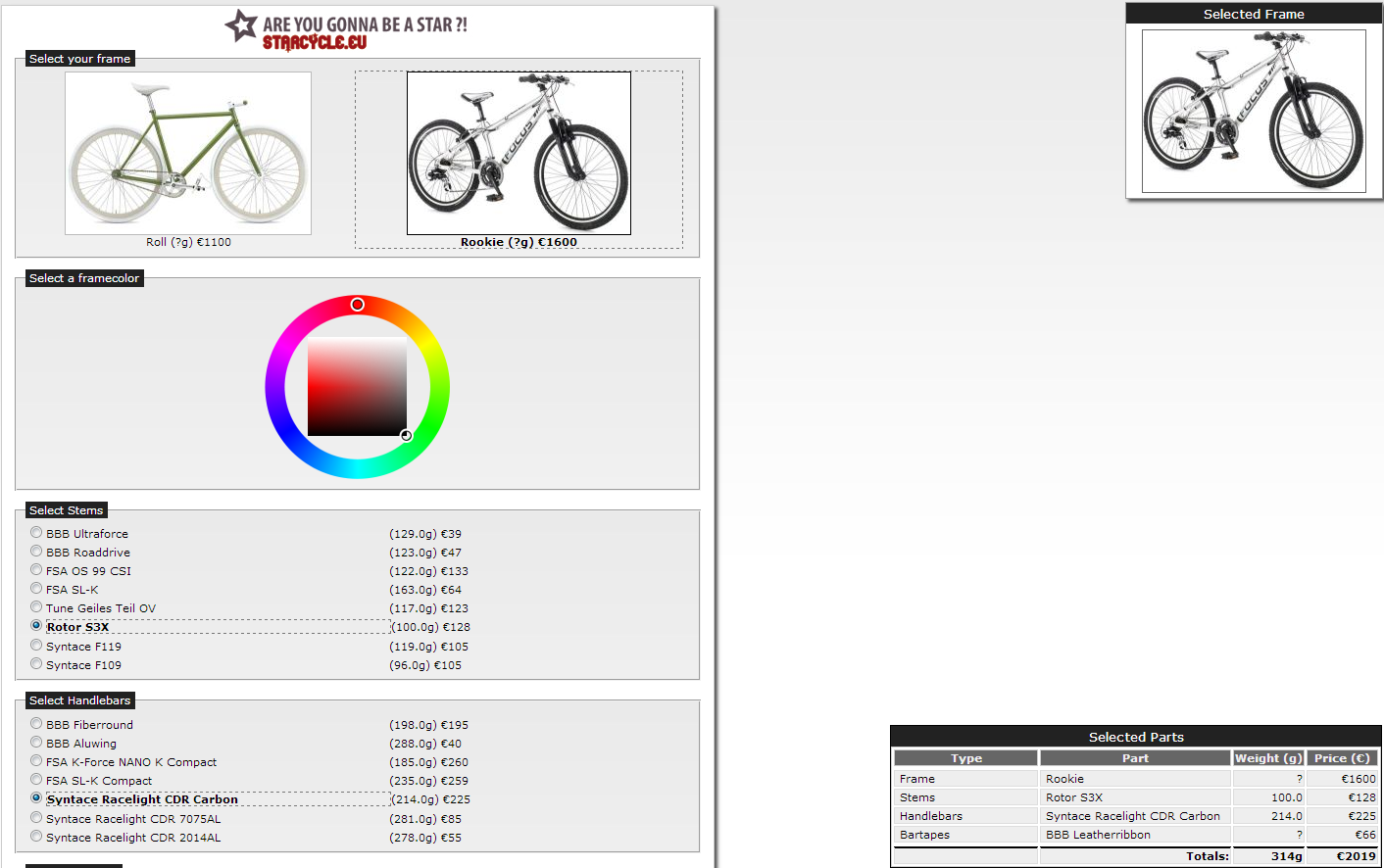
This website is the latest website I independently developed. Friends approached me with an idea about some sort of portal website where you can find all personalizable products in one place. I thought it was a good idea and decided to help out with the realization of the idea. They would focus on adding products and marketing, and I would create the website and CMS tailored to their needs. To illustrate the purpose I'll quote the text from the about section of the website:

"There are numerous customizable products for sale online. Nowadays almost any product imaginable can be personalized by printing a photo or a text on it, like a pair of shoes, a pocketknife or a bag of candy. The market is full of online shops that customize their products for you. However, the suppliers of these various products are spread throughout the corners of the internet and people can have a hard time finding the shop they need. Out of this need the idea of PimpEverything.com was born."

I developed both the frontend and the backend, and did all the design. The CMS is in Dutch.

Languages used: PHP, MySQL, jQuery, also used a lot of AJAX-techniques in the CMS(backend).

I also researched a lot about SEO (Search Engine Optimization) during the development of this website.


Flash Programming

Smiley screensaver

Year: 2004

I made this mainly for fun, and to expand my knowledge of Actionscript.

Demo-features:

- 20+ different smileys
- Varying 'traffic'-densities
- 3 randomly changing background-pictures (the +10MB version has 20+)
- Randomly shifting colors

Smileys used: I got them from FOK! and Gathering Of Tweakers.

The background images used are from my private collection.
View Smiley_Screensaver.swf Download Smiley_Screensaver.swf

Flash Programming

Scenery screensaver

Year: 2004

This screensaver is a 'random' screensaver. All the objects (trees, grass, the house, the stars) are in another place each time you launch the screensaver again. Also random events happen, depending on the time of the day.

The screensaver is developed in Macromedia Flash, a powerful tool to combine graphical elements with code. In other words, you can build a graphical interface around your code with relative ease.

To develop my skills in that particlar aspect of programming in Flash, I developed this screensaver after finishing up my Smiley Screensaver, which I also developed in Flash.

An incomplete list of features:

- Day/night cycle (events differ if its day or night)
- Random placement objects and random events
- Growing trees
View Scenery_Screensaver.swf Download Scenery_Screensaver.swf

Websites Programming

Previous version of liud.nl (second portfolio website)

Year: 2007

Due to the massive amount of knowledge, tricks and know-how I gathered during developing this website, it naturally deserves a mention in my portfolio.

I increased my skills in the fields of Javascript, XHTML and CSS, and I increased my skills notably in the fields of PHP and MySQL while developing the site.

The main purpose while developing the site was to increase my knowledge significantly in the field of dynamically, interactive websites. In fact, the page you are looking at right now is generated dynamically.

Dynamical generation means you don't hardcode every page you have on your site, but dependent on the arguments supplied by the user (in this case the id of the portfolio article, pid), you fetch data from a database. But that's not all there is to it. The data has to be presented back to user, in a fashionable way.

That's were PHP comes to the rescue. It sort of acts like the negotiator between your browser and the database(MySQL). The negotiator fetches the data you requested, stylizes it in a pretty manner, and presents it to you in your browser.

But there is more to it than just the frontend of the site, the part you are using right now. If there is data to be added to the website, it has to be stored in the database. Likewise, if there's inappropriate content placed by a user, there has to be a way to remove it from the database again. Welcome to the world of Content Management Systems, in it's abbreviated form it's CMS. The role of PHP within the CMS, that usually consists of forms that can be filled in (and buttons that can be pressed), is to get the data from the users browser when he presses the 'submit' button, process it for possible errors and mistakes, format the data so that it is in a format suitable for the database, and then actually add the data into the database, and make sure the right cabinets are used.

I developed both the frontend, as well as the backend of this site, and learned lots of do's and don'ts in the process.